SMART CITY EXPO WORLD CONGRESS 2026
3–5 November 2026 · Barcelona · Stand B161
AI-Powered Insights for Smarter Cities
Discover intelligent video analytics, AI Agents, and accelerated computing for urban innovation.
SMART CITY EXPO WORLD CONGRESS 2026
3–5 November 2026 · Barcelona · Stand B161
AI-Powered Insights for Smarter Cities
Discover intelligent video analytics, AI Agents, and accelerated computing for urban innovation.
Meet OpenZeka at Smart City Expo World Congress 2026
Discover how Cordatus brings NVIDIA-powered video analytics and AI agents into everyday operations. From monitoring public spaces to improving school safety and managing residential security, explore how teams can define what matters, review incidents with context, and coordinate their response in one place.
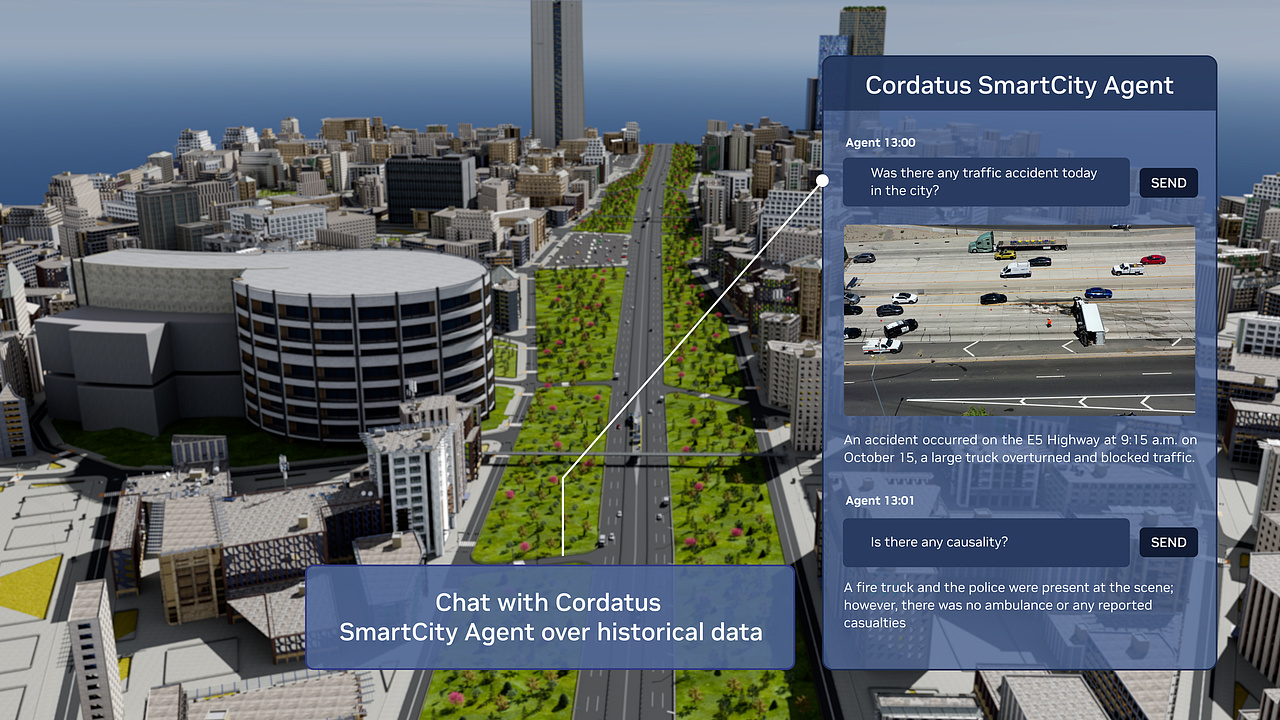
At the Smart City Expo World Congress 2026 in Barcelona, OpenZeka is showcasing NVIDIA’s AI-powered technologies that are redefining the future of urban living. Central to the presentation is the transformative role of Smart Agents, powered by Large Language Models (LLMs) and Vision-Language Models (VLMs), in reshaping everyday city experiences. The exhibit features a diverse range of demonstrations — from AI-driven video search, summarization, and analytics agents to Omniverse Digital Twin and the Cordatus AI Platform — all underscoring how NVIDIA’s cutting-edge platforms and frameworks are driving innovation across industries and accelerating the evolution of smart city infrastructure.
Cordatus AI Agents for Safer Spaces
Give your teams a clearer view of what is happening—and the context they need to respond.
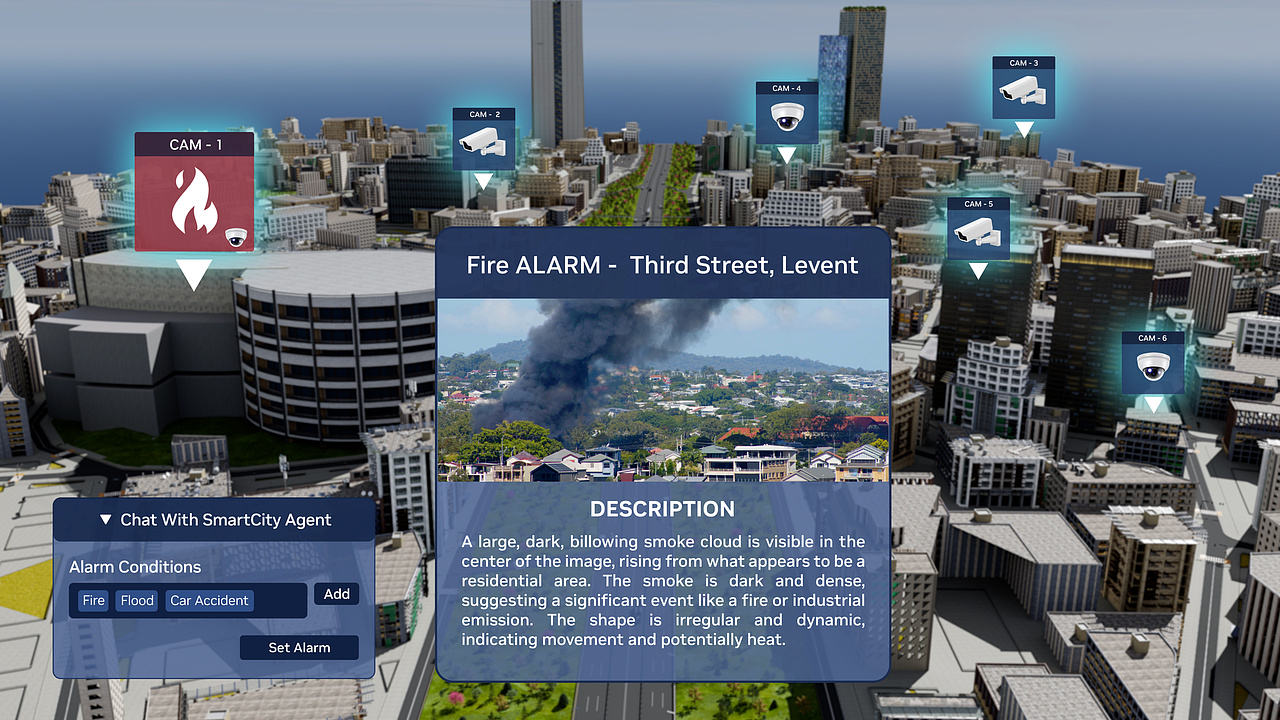
With Cordatus, you can describe the situations you want to monitor in natural language and apply rules to selected cameras and areas. When a matching event is detected, teams receive an alert with a summary, location, and video clip to support their review.
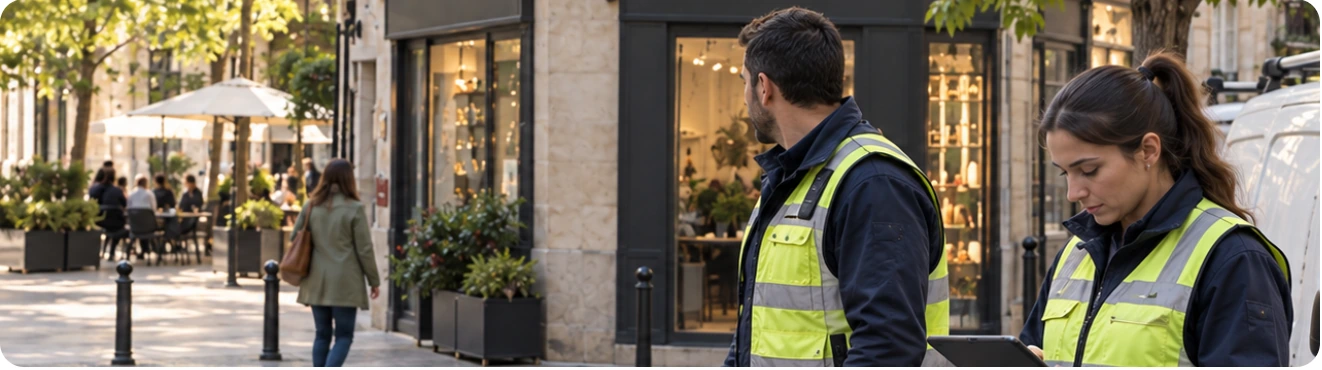
From the control room to staff in the field, teams can follow acknowledgements and response updates through a shared incident record. AI helps surface relevant events, while your team stays in control of review, access, and action.
ONE PLATFORM. DIFFERENT OPERATIONAL NEEDS.
Explore how Cordatus adapts video intelligence and response workflows to the spaces you manage—from city streets and school corridors to residential entrances and shared areas.
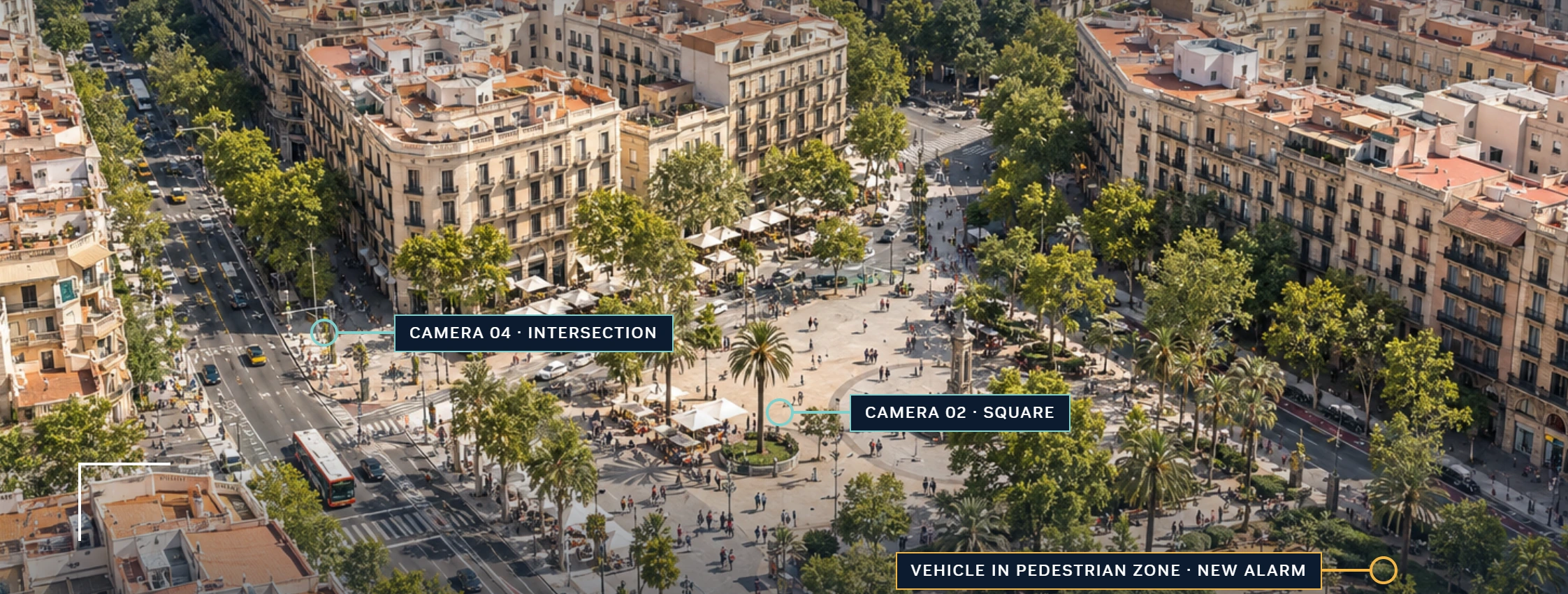
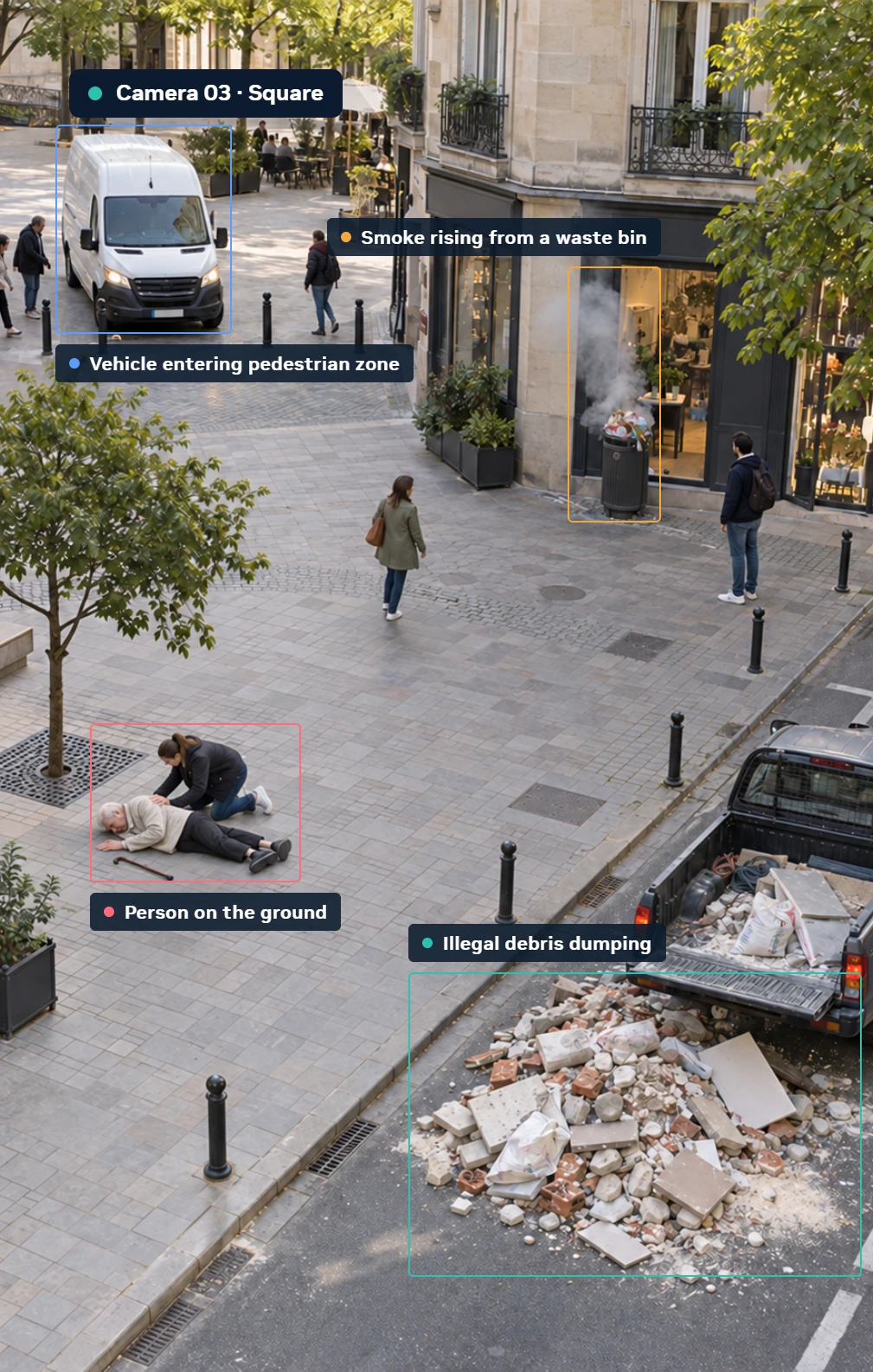
You define what to monitor.
Describe the event you want to track in short phrase. When it appears on camera, Cordatus raises an alarm with a summary, location and video clip.
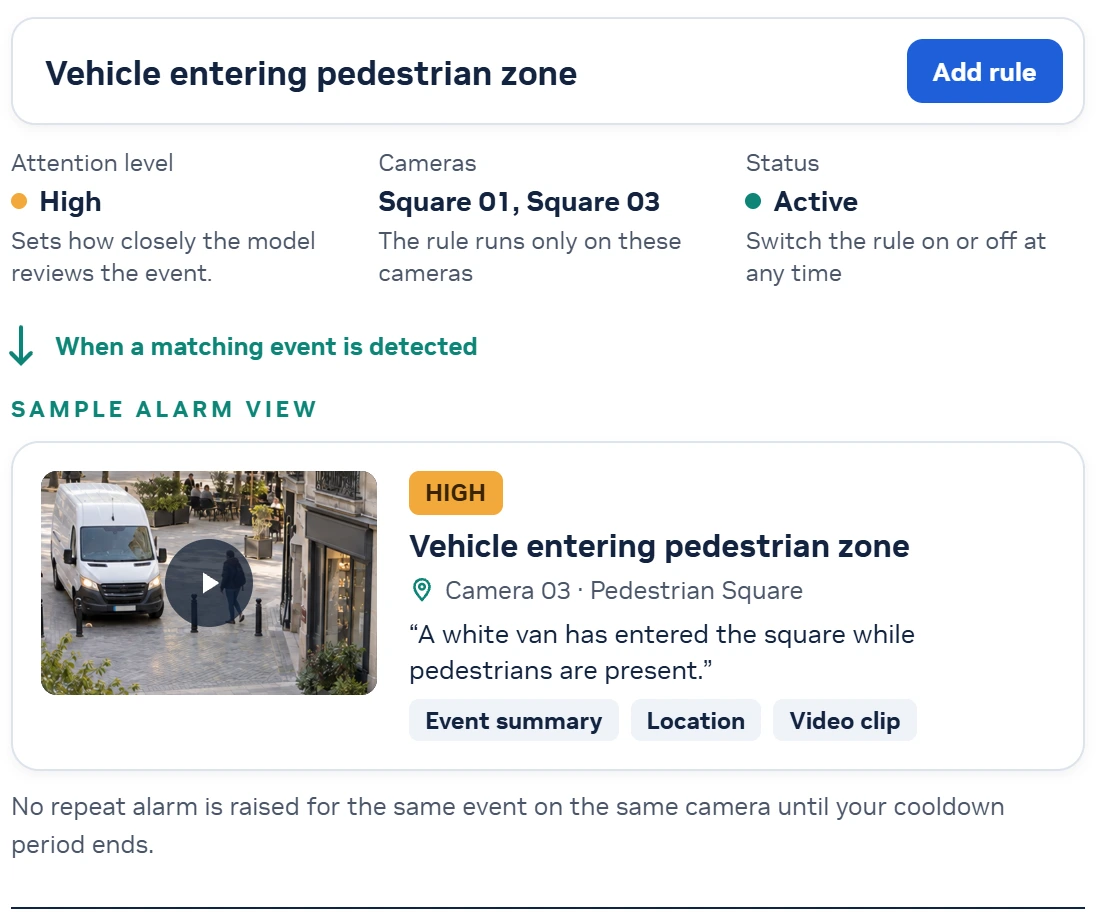
Update rules as needs change.
Add new rules, eidt existing ones, or switch them on and off. Changes apply to monitored cameras without restarting the system.
Assess the incident, track the response.
Control room staff and field teams share review and response updates on the same incident record.
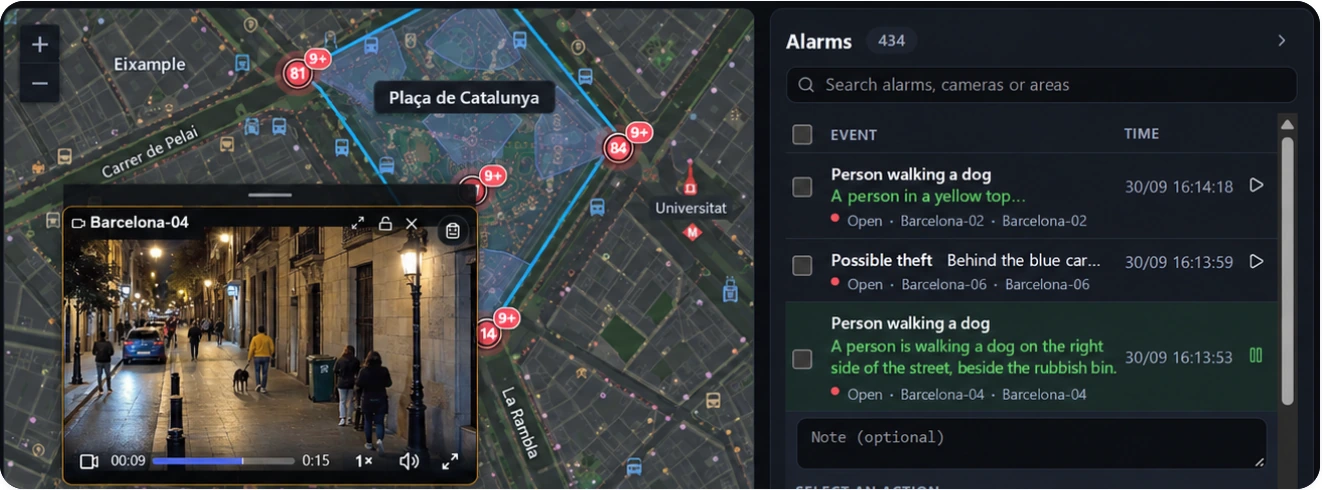
Review
View cameras together on a map or multi-screen layout. Search past incidents and play recordings in sync.
Notify
Route alarms to the rigt field team by location and shift.
Track
Follow acknowledgement and response status from the same record.
Review
View cameras together on a map or multi-screen layout. Search past incidents and play recordings in sync.
Notify
Route alarms to the rigt field team by location and shift.
Track
Follow acknowledgement and response status from the same record.
Escalation
Define the notification order for unacknowledged or unresolved alarms.
Access
Manage zone and video permissions.
Deployment
Chooose on-premises or cloud deployment.
Ask the Assistant
Query incidents; toggle rules with your approval.
SCHOOL SAFETY
Monitor every camera across your school together; see risky situations and follow the response.
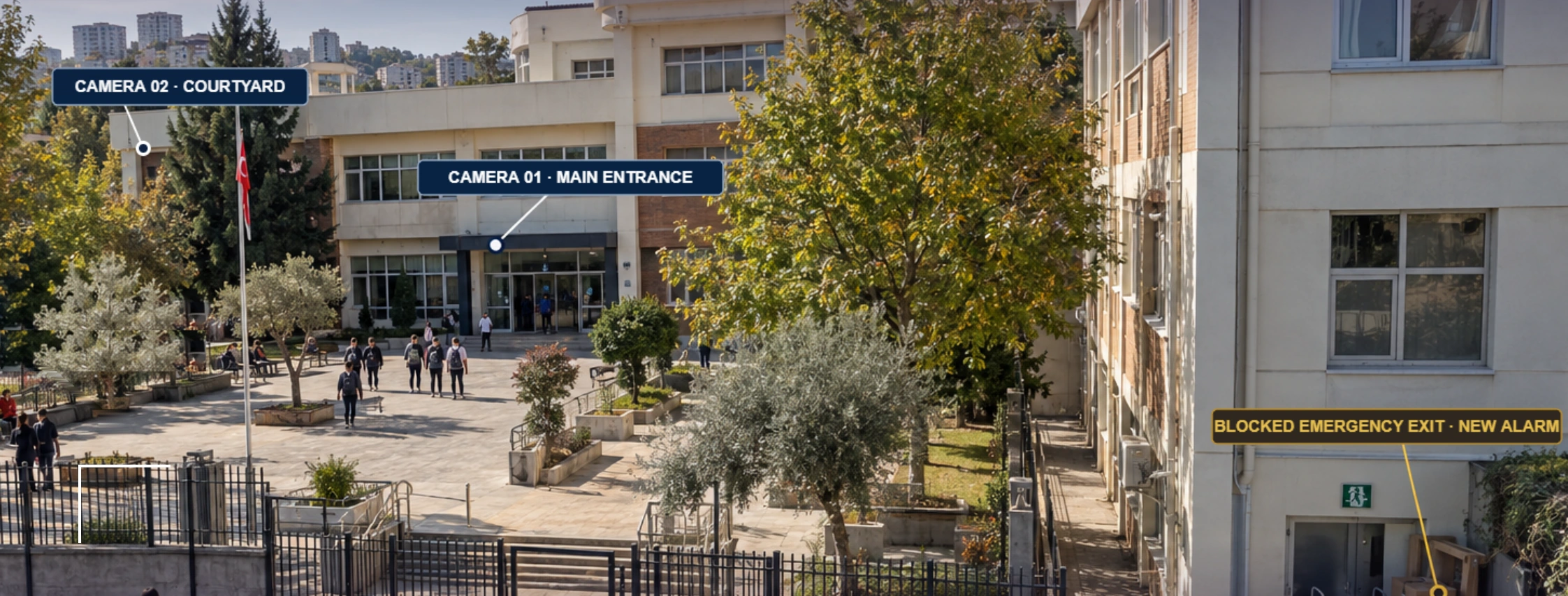
You define what to watch for in your school.
Describe the situation you want to track in a short phrase. When a matching situation is seen, an alarm is created for review with an event summary, camera location and video clip.
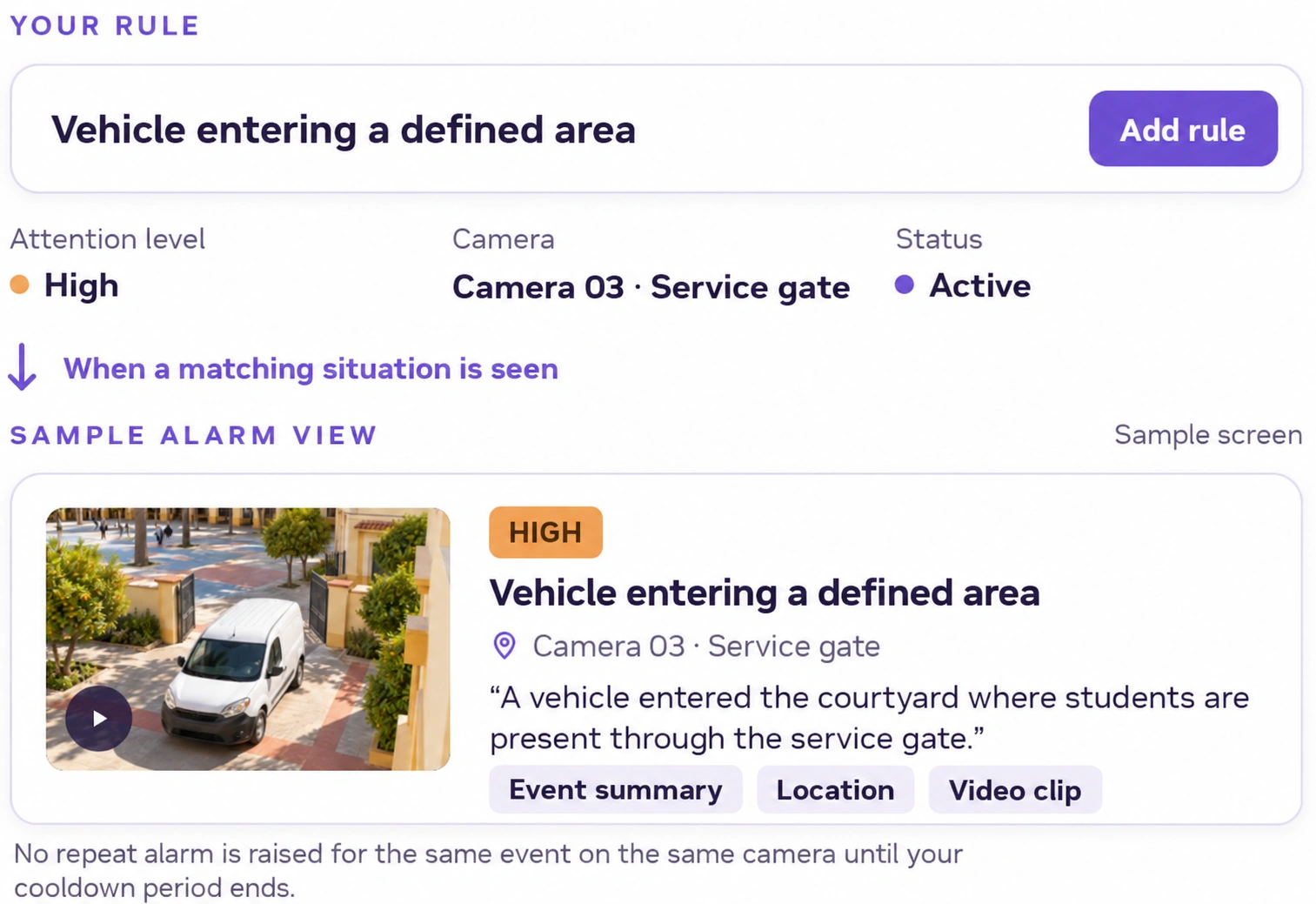
Other use cases
Suggested rules you can define for your school’s needs.
- Fall on the stairs
- Motionless person
- Restricted area entry
- Fight in the corridor
- Blocked emergency exit
- Leaving grounds in class
Assess the event, mobilize the right team.
School management and security teams follow review and response details from the same event record.
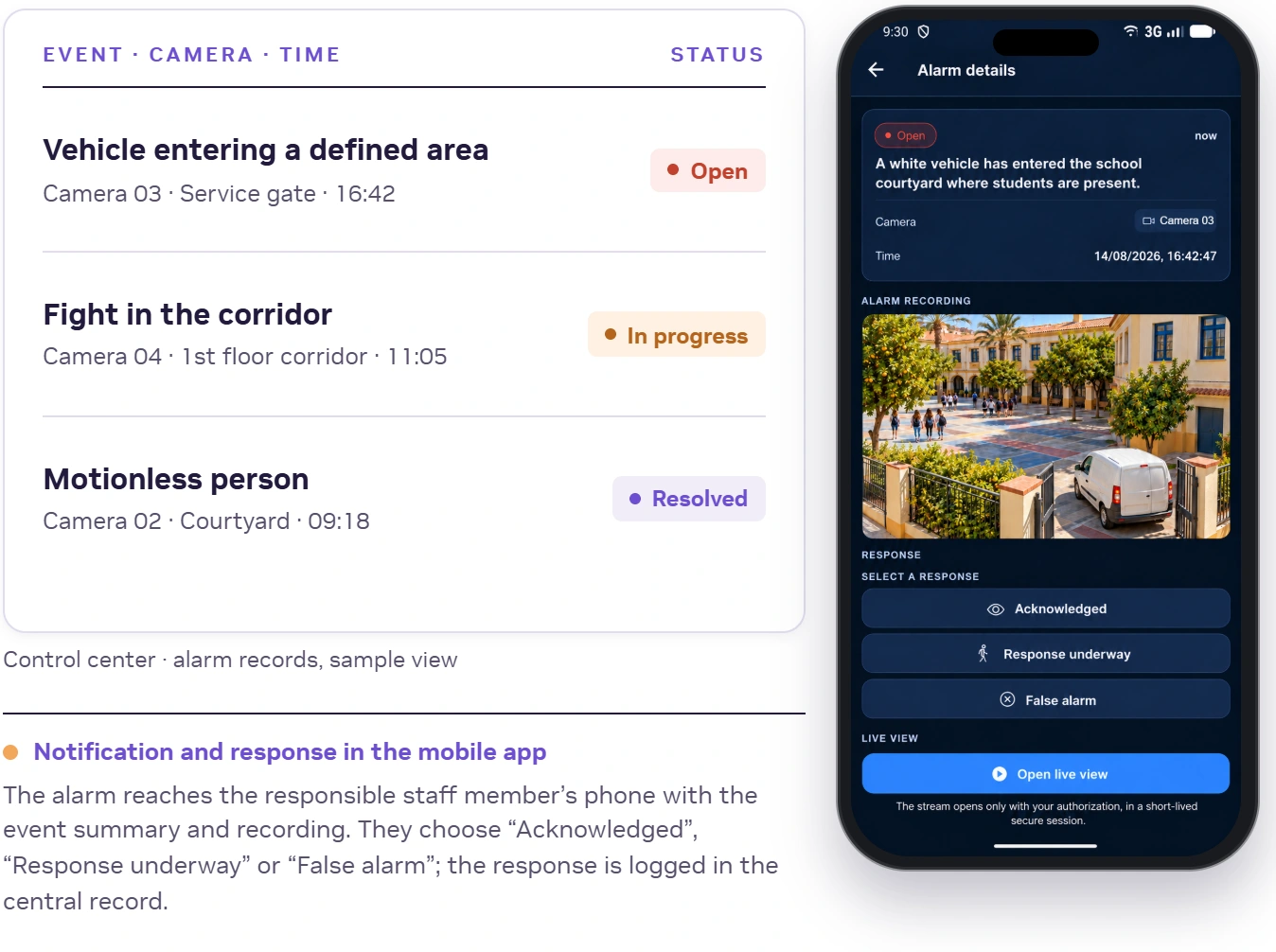
Notify
Based on area and duty information, the alarm goes straight to the responsible staff member’s phone.
Respond
Staff review the summary and recording, then choose Acknowledge, Response underway or False alarm. If no one responds, the alarm moves to the next person in line.
Track
School management follows acknowledgement, response and closure from the center, in the same record.
Ask the Assistant
Query incidents; toggle rules with your approval.
YOU STAY IN CONTROL
Camera-and area-based rules
Run each rule only on the cameras and areas you choose.
Permission-based video access
Decide who can see which footage. Live view opens only with authorization, in a short-lived session.
Notification and response tracking
See who received the alarm and how iti was answered.
SITE SECURITY
Detect unusual activity and track every response.
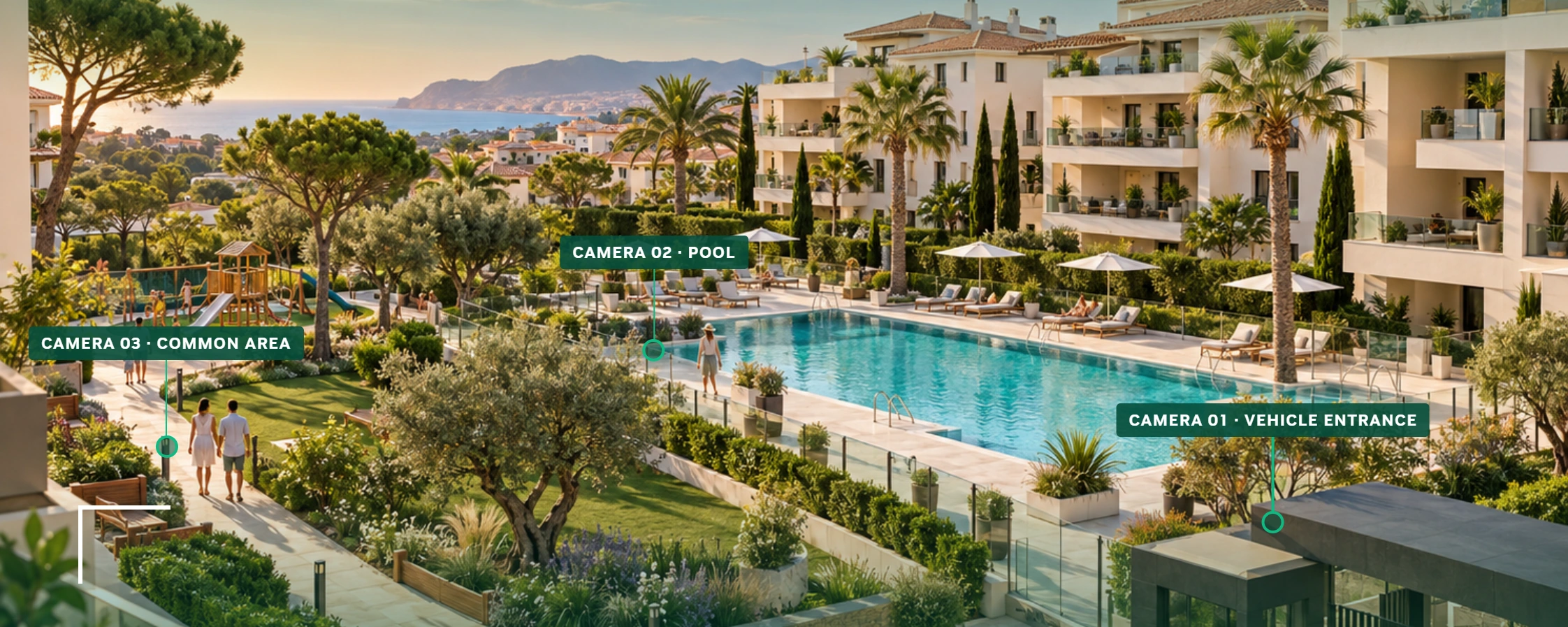
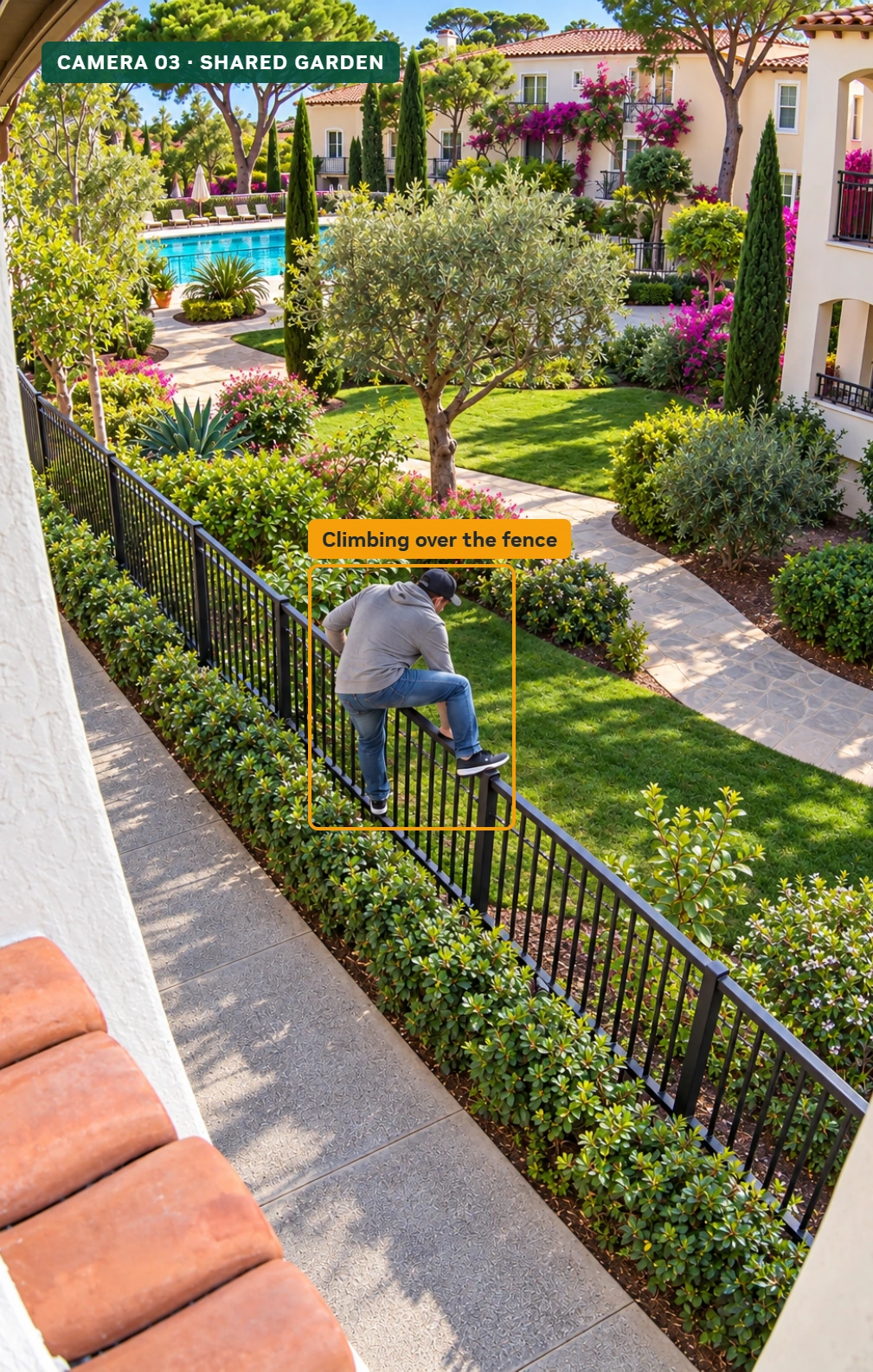
Detect violations in common areas.
Set monitoring rules for gardens, pools and common areas. When a violation you have defined is detected, you receive an alarm with an event descprition and camera details.
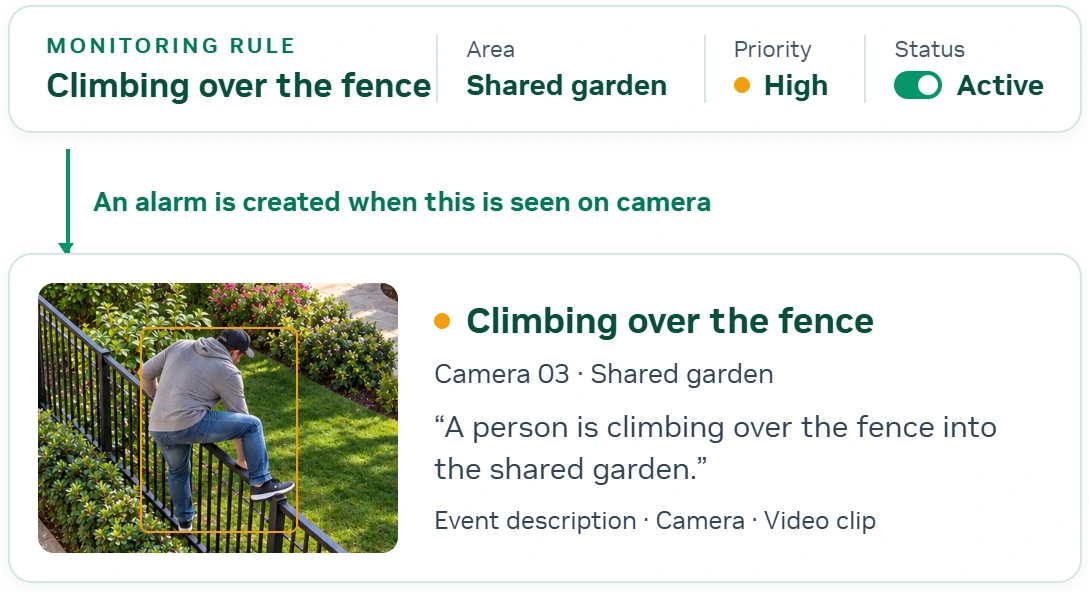
Other monitoring scenarios
- Unauthorised pool access
- Fight in a common area
- Forcing a lift door
- Fire or smoke
- Restricted area breach

Track people and vehicle entries in one place.
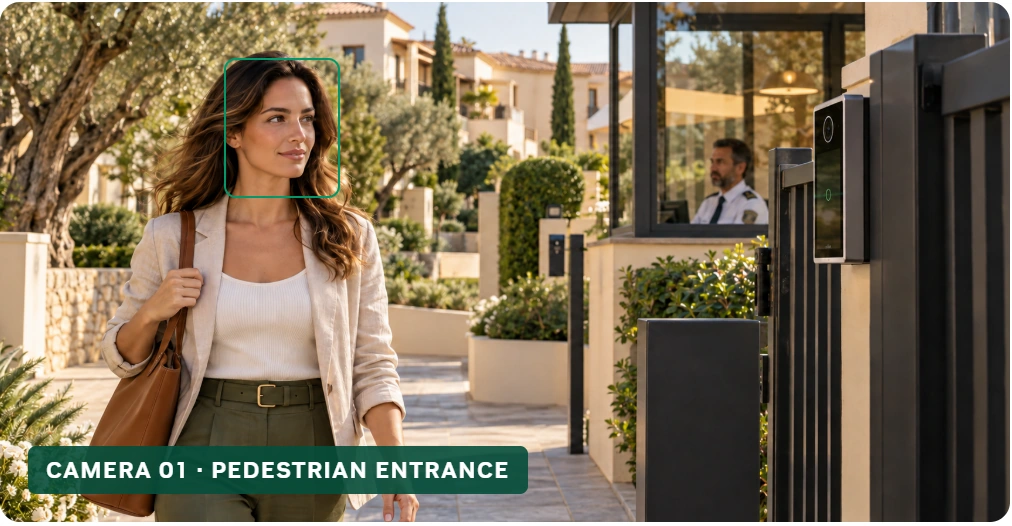
Authorised access check
Compare people against the authorised list and the blacklist. Log authorised entries, and receive an alarm on a blacklist match or when an unauthorised person is detected in a restricted area.

Manage authorised people, registered vehicles and guest permits, and review all entry records together.
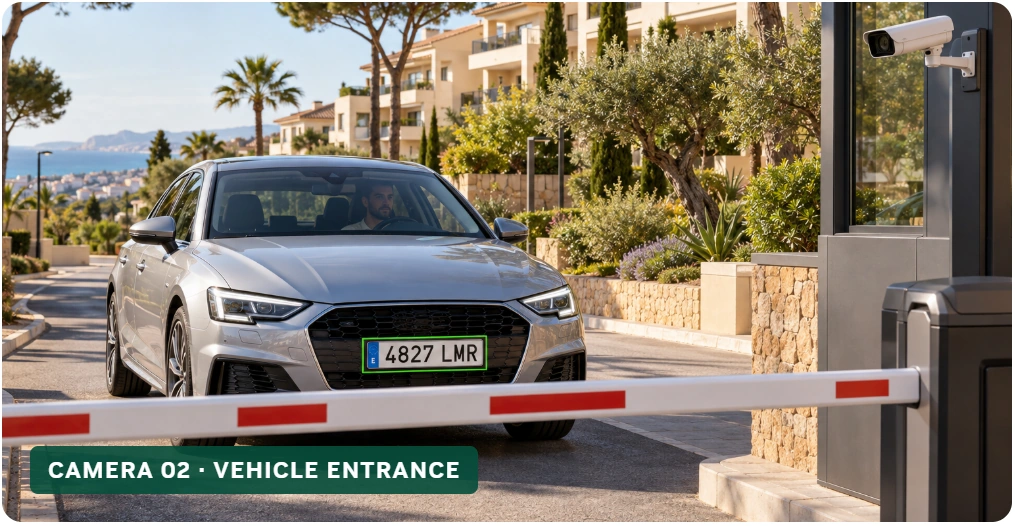
Licence plate recognition
Compare plates against registered vehicles, guest permits and the blacklist. Open the barrier for valid permits, and receive alarms for unregistered vehicles or invalid permits based on your rules.

Blacklisted vehicles trigger an alarm; the barrier stays closed.